
Sonic Pico Park Multiplayer: 2-8 Player Setup Done Right
How Sonic Pico Park multiplayer works: 2-8 players, local and online, crossplay, host setup, role assignments, and the player count that plays best.
SONIC PICO PARK multiplayer supports two to eight players, locally or online, with crossplay between every platform. The host creates a lobby, the group picks characters, and the campaign starts at World 1. There is no matchmaking queue, no ranked mode, and no solo option. If you cannot find one other player, you cannot play.

The player count changes the game more than any other setting. Two players is a precision puzzle; four is the intended chaos; eight is a party game where the plan survives contact for about ten seconds. The stages scale by requiring more bodies at the goal plate, not by adding enemies.
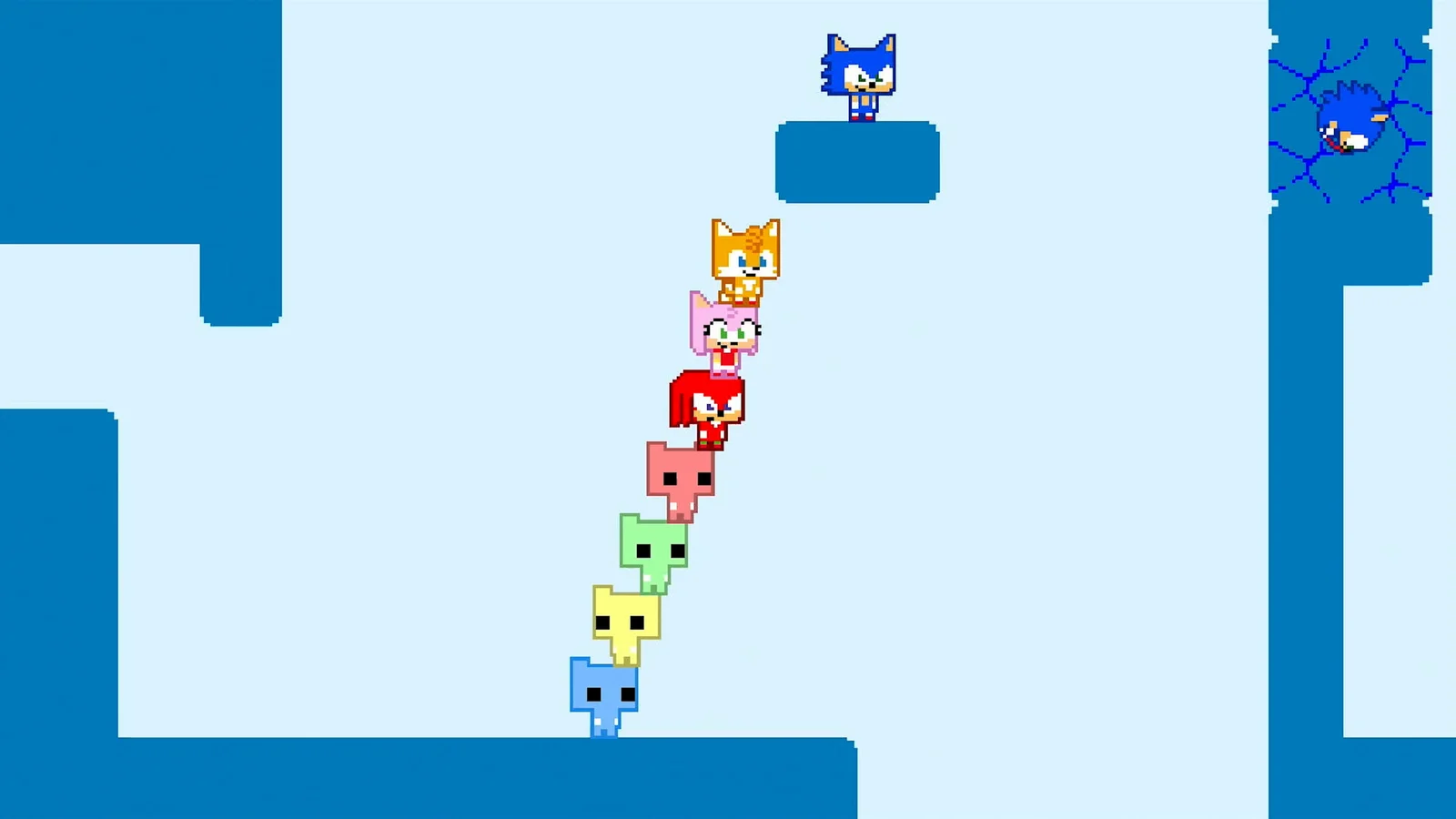
Four players, local, World 1. Add more players after the group understands the goal-plate rule and the Spin Dash.
Player counts and what changes
| Players | Feel | Best for |
|---|---|---|
| 2 | Tight, quiet, every mistake matters | Couples, duos, achievement cleanup |
| 3 | One spare body for carries and gates | Small friend groups |
| 4 | The intended balance of chaos and control | First sessions, streaming |
| 5-6 | Constant regrouping, more role overlap | Groups that already know the game |
| 7-8 | Party chaos, long plate counts | Parties, local events |
The stage design does not add extra enemies for a larger group. It adds more players who need to reach the same plate, which means the difficulty comes from coordination rather than combat. A room that is trivial for two players can take eight players three tries because the stack keeps collapsing.
Local multiplayer setup
Local play is the simplest setup. Connect controllers, start the game, choose local play, and assign each player a character. The game supports mixed input on PC, so a group can use a mix of gamepads and keyboards.
The practical limits are hardware, not software:
- Switch and Switch 2 support up to eight local players, but you need enough controllers. A single Joy-Con pair counts as two players if you use each half sideways, which is the cheapest route to a large group.
- Xbox supports up to eight local players. The console recognizes multiple controllers, and the game assigns them in the lobby.
- PS5 store listing says one to four local players. The game supports larger groups online, but couch play on PS5 is listed as four.
- PC supports up to eight local players and allows keyboard players to fill gaps when there are not enough controllers.
For an eight-player local session, label the controllers. The lobby assigns players in the order they join, and a group that swaps controllers mid-session will spend more time in menus than in stages.
Online multiplayer setup
Online play needs a host, a lobby, and a platform subscription on consoles. The host starts the game, selects online play, and invites players through the platform's friend system. Crossplay lobbies can include Steam, Switch, PlayStation, and Xbox players in the same session.
A clean online setup looks like this:
- Pick the host with the best connection. Wired if possible. The host's upload quality affects every player.
- Start the lobby before inviting. A lobby that is still loading will drop early joiners.
- Invite in one batch. Players who join late may miss the character select or start in a different state.
- Set the voice channel before the first stage. Platform party chat is the most reliable option.
- Confirm everyone can see the same screen. Shared-screen online play means one player running ahead drags the camera away from the group.
The official site notes that up to seven local players can join an online session from a single PC. That makes a PC the best host for a hybrid session: seven people in one room, one friend remote, eight players in the same lobby.
The online setup guide → covers invite problems and connection fixes in more detail.
Crossplay in practice
Crossplay is enabled for the campaign and Battle mode. A Switch player can join a Steam host, and a PS5 player can join an Xbox lobby. The platform does not restrict who can join, but the platform's online subscription still applies to the player who needs it.
Crossplay does not merge progress. Each player's world clears and achievements stay on their own account and platform. If your group wants to track a shared clear, use the world-select screen in the host's lobby rather than comparing profiles.
The crossplay guide → explains which combinations work and which features do not cross over.
Assigning roles
A group of four or more should assign jobs before a hard room. The roles are not formal classes; they are temporary jobs based on the character each player picked.
- Flyer. Carries one player across a gap or up to a ledge. Tails, Cream, Charmy, and Rogue are the usual picks.
- Dasher. Breaks cracked blocks and clears enemies. Any character can Spin Dash, but a player who is good at charging it should own the job.
- Anchor. Stays on the safe platform, holds the ring gate, and counts the group. The anchor is often the player who understands the room best.
- Scout. Tests the next section and reports back. The scout should not touch the goal plate.
In an eight-player lobby, add a caller who does nothing but count players and call the next move. The caller can also be the anchor, but not the flyer; the flyer is too busy.
The player count that plays best
Four is the sweet spot. It gives the group enough bodies for a carry, a gate, and a stack without turning every room into a traffic jam. Two is the best count for a quiet evening and the worst count for a party. Eight is the best count for a stream and the worst count for a group that wants to finish the campaign quickly.
If your group is larger than four, split into two lobbies for the campaign and reunite for Battle mode. Two groups of four will clear more worlds than one group of eight in the same time, and the eight-player session can be saved for the modes that are built for chaos.
Common multiplayer problems
- A player cannot join. Check the platform subscription, the game version, and whether the lobby is full. Crossplay lobbies still cap at eight.
- The camera leaves a player behind. The group moved too far ahead. Slow down and regroup; the camera does not split.
- The plate will not trigger. One player has not touched it. Count the group before the final touch.
- A character is missing from the roster. Character select only shows the available roster for the lobby; a player who joins late may need to pick again.
- The lobby drops after a stage. This is usually a host connection issue. Restart the lobby with a wired host.
Official source: SONIC PICO PARK official site ↗
Official source: Steam store page ↗
The Nintendo product page ↗ confirms two-to-eight players locally and online plus crossplay. The PlayStation Store listing ↗ lists the PS5 player counts. Shacknews ↗ describes how the co-op pacing works in practice.
FAQ
How many players can play Sonic Pico Park online?
Up to eight, with crossplay between all platforms.
Can you play Sonic Pico Park with two players?
Yes. Two is the minimum and one of the best ways to play, especially for puzzle-focused groups.
Does Sonic Pico Park have matchmaking?
No. You need to form a lobby with friends or invite players directly.
Can PC and Switch players play together?
Yes. Crossplay covers Steam, Switch, Switch 2, PS5, Xbox Series X|S, and Xbox One.
Can seven local players join an online session?
Yes, from a single PC. The official site lists up to seven local players joining online from one PC.